Optimize Fire TV Stick Audio Settings for Clearer Dialogue
Discover how Fire TV Stick audio settings and Dialogue Boost overcome modern streaming sound mix issues to deliver crystal-clear vocal clarity.
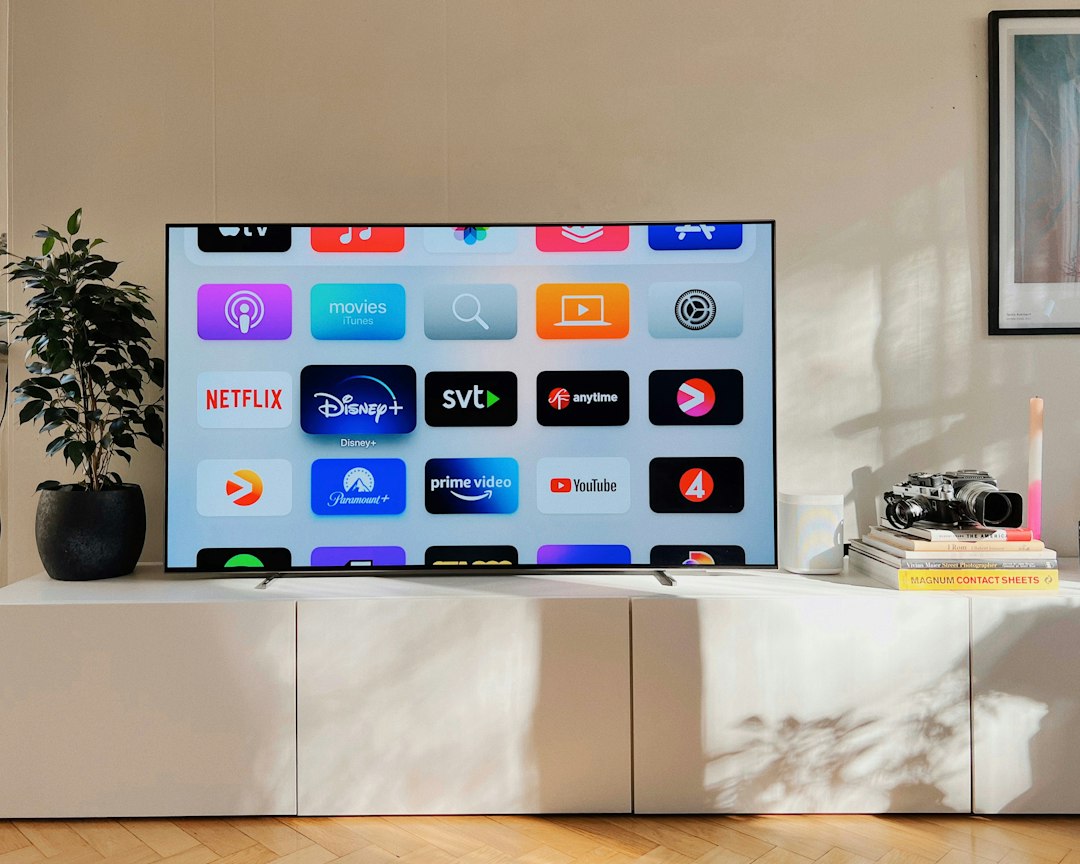
Amazon Fire TV devices include an integrated digital signal processing feature named Dialogue Boost, designed to rectify the widespread issue of muffled speech in modern video streams. By applying intelligent frequency isolation to center-channel audio bands, the tool amplifies human vocal ranges without raising peak sound effects or low-frequency musical scores. This software-driven enhancement bridges the gap between wide-dynamic-range cinematic mixing and the limited acoustic capabilities of standard television hardware.
Understanding how to adjust your Fire TV Stick audio settings allows viewers to remediate structural mixing challenges that have emerged across film and television production over the past two decades.
Root Causes of Unclear Dialogue in Modern Media
The difficulty viewers experience when trying to hear conversations on screen stems from a fundamental shift in cinematic audio engineering. Contemporary film production relies on modern hyper-cardioid microphones and high-sensitivity lavaliers, allowing sound engineers to capture subtle, realistic performances. Unlike classical Hollywood sets, where performers had to project their voices toward static overhead boom mics, current actors can converse quietly or naturalistically.
While this naturalism improves dramatic realism, it creates significant challenges for home playback systems. Cinematic audio mixes are crafted for calibrated movie theaters, featuring broad dynamic range—the delta between the quietest whisper and the loudest explosion. When theatrical mixes are compressed and delivered over commercial streaming platforms, quiet speech often becomes lost beneath heavy ambient sound design and sweeping scores.
The Hardware Bottleneck of Flat-Panel Displays
Physical constraints in modern television manufacturing compound these production choices. As televisions have become thinner, panel manufacturers have steadily decreased the physical footprint of integrated acoustic drivers. Most flat-panel displays feature small, down-firing or rear-firing stereo speakers operating in a standard two-channel (2.0) setup.
Because standard displays lack a physical center channel—the dedicated speaker driver responsible for isolated vocal output in a true 5.1 or 7.1 surround-sound configuration—the media device must downmix discrete multi-channel audio tracks into stereo channels. During downmixing, speech frequencies compete directly for speaker displacement against deep bass effects and high-frequency instrumentation, resulting in muddy, unintelligible output.
Navigating and Configuring Fire TV Stick Audio Settings
To address downmixing overlap, Amazon implemented Dialogue Boost within the Fire OS software architecture. The system uses adaptive equalization and dynamic compression algorithms to analyze audio frames in real time, pinpointing frequency ranges unique to human vocal cords (typically between 1 kHz and 4 kHz) and boosting them relative to adjacent frequencies.
Users can access and adjust these parameters directly through the Fire OS settings panel:
- Navigate to Settings from the primary Fire TV home menu.
- Select Display & Audio and proceed to Audio Settings.
- Locate Dialogue Boost within the list of output options.
- Choose from five granular processing thresholds: Low, Medium, High, Enhanced, and Heightened.
The feature operates on a sliding scale of digital manipulation. Lower tiers apply subtle equalizer curves with minimal distortion, while higher tiers introduce aggressive mid-range gain and dynamic range limiting to force speech to the forefront of the soundstage.
Calibrating Audio Profiles for Target Media Types
Because audio master files vary significantly between genres, a single enhancement level is rarely optimal for all video content. Setting processing levels according to media types helps preserve artistic intent while prioritizing vocal clarity:
- Action and Sci-Fi Films: Heavy visual effects films typically utilize high dynamic range audio, where gunfire, engines, and explosions overpower background conversation. Configuring Dialogue Boost to High or Enhanced creates a artificial dynamic cap, preventing sound effects from clipping speaker hardware while elevating dialogue.
- Dramatic Cinema and Documentaries: Content driven primarily by dialogue with low ambient music requires minimal processing. Applying a Low or Medium setting enhances vocal presence without introducing unwanted acoustic harshness or sibilance.
- Broadcast News and Talk Shows: Broadcast content is usually mastered in basic stereo with pre-compressed audio. A Low setting or leaving the feature disabled ensures natural voice timbres without artificial EQ peaks.
Over-amplifying dialogue can lead to acoustic artifacts, such as background hiss or metallic distortion around hard consonants. Viewers should select the lowest increment that achieves clear speech separation for their specific setup.
Comparing Software Equalization with External Audio Hardware
While configuring Fire TV Stick audio settings offers a zero-cost resolution for poor sound clarity, software-based equalization is fundamentally an algorithmic correction for physical hardware limitations. Digital processing alters the original master track, which can slightly distort original musical scoring or subtle room ambiance.
Hardware upgrades offer an alternative, native path to sound separation:
- Dedicated 3.0 or 3.1 Soundbars: Adding a discrete center channel speaker allows the streaming device to route voice tracks to a dedicated physical driver, completely separating dialogue from stereo sound effects.
- AV Receivers with Room Calibration: Advanced home theater receivers utilize real-time spatial calibration mics to equalize dialogue based on room acoustics and speaker placement.
- Night Modes: Many modern soundbars include specialized dynamic compression profiles that flatten overall volume deltas, balancing night-time listening without shifting vocal tone.
For users operating strictly with internal TV speakers or basic stereo soundbars, Fire OS's software-based enhancement serves as an accessible intermediate fix.
What to Watch in Next-Gen Streaming Audio Standards
The necessity of manual EQ tweaks highlights a broader transition taking place across digital media platforms. Streaming services are increasingly moving away from static multi-channel mixes in favor of object-based audio standards like Dolby Atmos and DTS:X.
In object-based audio environments, individual sound elements—including vocal stems—are delivered as discrete audio objects accompanied by positional metadata. Rather than forcing the playback device to guess vocal frequencies via static equalization curves, future client-side streaming software will allow users to adjust dialogue object volumes independently relative to background tracks.
Until object-based controls become universal across all basic streaming tiers, leveraging real-time DSP options like Amazon's Dialogue Boost remains the most effective strategy for resolving poor speech clarity on modern displays.
Reporting reference: this briefing is TechWire’s independent analysis. Primary reporting was published by Engadget — read the source article.
Related analysis
x86 Processor Evolution: How Legacy Trade-Offs Won
Explore the x86 processor evolution, from 1970s hardware choices to modern computing compatibility, explaining little-endianness and register design.
NSF Leadership Nomination Collapses Amid Science Policy Crisis
Senate pushback on the NSF leadership nomination highlights growing friction over federal science funding and academic research oversight.
TRMNL Frame: Full Color ePaper Display Canvas Debuts
An analysis of TRMNL Frame, a 31.5-inch full color ePaper display using Spectra 6 tech, custom color engines, and in-house manufacturing.