Managing Smartphone App Permissions to Secure Personal Data
Learn how to audit smartphone app permissions on iOS and Android. Eliminate telemetry risks, restrict background location tracking, and protect personal…
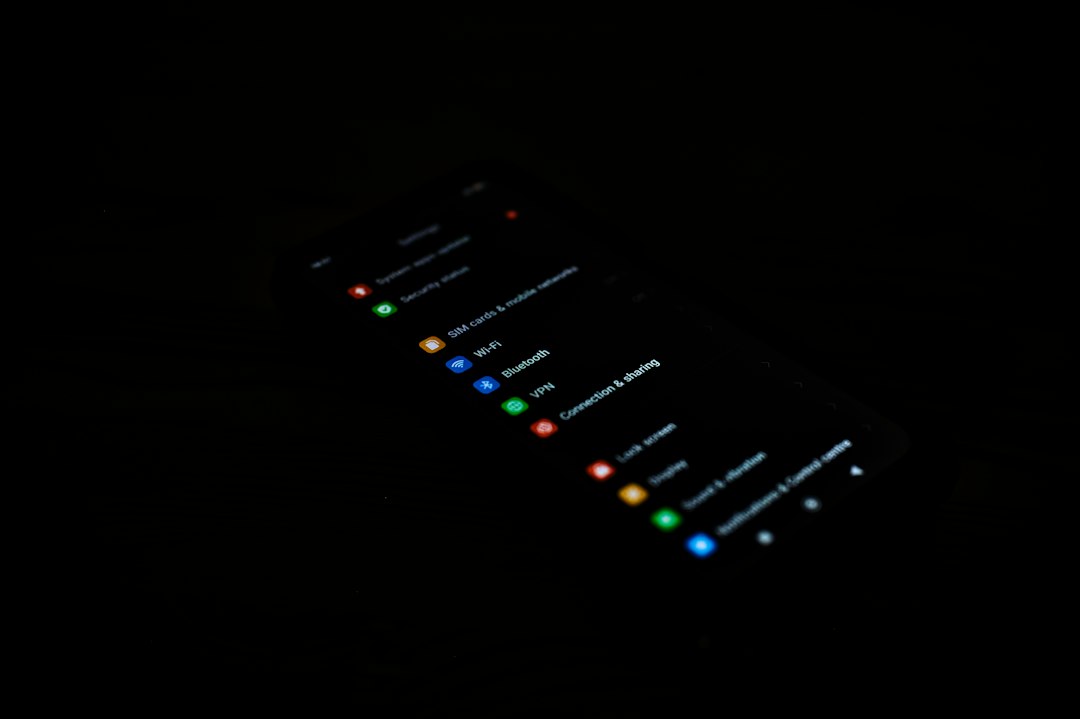
Auditing smartphone app permissions is one of the most effective ways to shrink a user's personal attack surface and prevent silent background telemetry. Modern mobile operating systems grant applications granular access to hardware components like cameras, microphones, and GPS chips, as well as software repositories like contact lists and photo libraries. When users routinely review and revoke unnecessary entitlements, they neutralize opportunistic data collection without sacrificing core application utility.
While native application stores enforce sandbox constraints and automated malware scanning, granting software broad operational privileges leaves device owners exposed to secondary privacy risks. Understanding the technical mechanics of permission models allows users to configure high-assurance environments on both Apple iOS and Google Android platforms.
The Architecture of Mobile Permission Creep
Software development kits (SDKs) supplied by third-party analytics firms and advertising networks frequently require expansive privileges to function. When developers integrate these libraries into legitimate applications—such as casual games, utility calculators, or storefront apps—the software often inherits requests for high-level access rights. This structural pattern causes what security engineers call permission creep, where an application asks for capabilities that far exceed its functional scope.
A flashlight app requesting real-time fine location, or a basic text editor demanding persistent access to the local network, represents an asymmetric risk profile. Even when an application developer acts without malicious intent, embedded advertising SDKs can leverage background permissions to harvest ambient device data. This telemetry includes network identifiers, Wi-Fi basic service set identifiers (BSSIDs), and precise geolocation streams, which third parties aggregate into distinct user profiles.
Furthermore, broad access rights create implicit vulnerabilities. If an over-privileged app suffers a dynamic code injection attack or server-side compromise, attackers inherit whatever native OS entitlements the user originally granted. Minimizing these granted privileges directly enforces the principle of least privilege, ensuring applications operate exclusively within the bounds of their explicit tasks.
Platform Privacy Models: How iOS and Android Gatekeeper Access
Both major mobile ecosystems have evolved sophisticated mechanisms to constrain application access, though their implementations differ in user interface and lower-level architecture.
Apple iOS Entitlement Framework
Apple isolates application processes through strict containerization. iOS enforces clear visual alerts whenever an application accesses sensitive hardware. High-visibility status indicators display distinct color cues in the system bar:
- Green visual indicator: Signals active real-time access to the physical camera sensor.
- Orange visual indicator: Signals that an application process is capturing audio via the microphone.
- Blue location arrow: Indicates that location services are actively pulling coordinates from satellite or cellular relays.
Beyond visual telemetry, iOS utilizes temporary authorization states, allowing users to grant location rights on a single-session basis or strictly while the application interface remains active in the foreground.
Android Permission Controls and Scoped Storage
Google’s Android ecosystem utilizes a runtime permission architecture paired with scoped storage mechanisms. Scoped storage restricts applications to dedicated directory structures, preventing arbitrary read access to the device's broader filesystem unless explicit permissions are granted. Modern Android iterations incorporate a centralized privacy dashboard that maps which applications accessed specific hardware sensors over a rolling 24-hour window.
Android also displays explicit status bar icons when the camera or microphone interfaces activate, accompanied by quick-setting toggles that let users globally disable hardware access at the driver level for all non-essential system processes.
Strategic Protocols for Auditing Smartphone App Permissions
To conduct a thorough security review of device access privileges, users should execute a structured audit across both primary operating systems. System settings contain built-in management dashboards that categorize software by hardware usage.
Executing an Audit on iOS
- Navigate to the primary system settings menu and select the central privacy and security interface.
- Review high-sensitivity categories individually, prioritizing Location Services, Camera, Microphone, and Bluetooth.
- Modify persistent location privileges from "Always" to "While Using the App" or "Never" for any non-navigation software.
- Disable precise location toggles for applications that only require coarse, city-level regional data.
- Audit background app refresh toggles to prevent idle applications from executing network calls when closed.
Executing an Audit on Android
- Open device settings and access the dedicated privacy control panel.
- Launch the integrated permission manager to view hardware resources sorted by risk tier.
- Examine applications with access to Location, Contacts, Call Logs, and Physical Activity.
- Reconfigure background location rights to allow access only during active foreground usage.
- Enable the system feature that automatically revokes privileges for applications that remain unused for extended periods.
Second-Order Risks of Unmonitored Telemetry
The primary danger of unchecked privileges extends beyond active surveillance; it involves the passive commodification of metadata. Aggregated location traces allow data brokers to reconstruct personal routines, home addresses, and commercial preferences. When location permissions remain active in the background, applications can poll GPS hardware continuously, creating detailed spatial logs.
Additionally, over-privileged applications consume unnecessary battery cycles and bandwidth. Constant polling of location sensors or background audio subsystems prevents mobile system-on-chip (SoC) platforms from entering low-power sleep states, accelerating hardware degradation over time. By aggressively revoking extraneous permissions, users simultaneously harden their device security posture and optimize hardware performance.
What to Watch: The Shift Toward Zero-Trust Mobile OS Design
Looking ahead, mobile operating system architectures are moving toward zero-trust models that abstract raw data streams altogether. Platform vendors are testing synthetic data interfaces—such as photo pickers that pass isolated image buffers to applications without exposing the user's underlying file directory or photo library.
Industry regulators are also increasing scrutiny on platform operators regarding data harvesting via third-party SDKs. Expect future iterations of Android and iOS to introduce automated, artificial intelligence-driven permission assistants. These tools will proactively flag anomalous background activity, prompt users to revoke stale privileges, and automatically restrict hardware access for legacy software packages.
Reporting reference: this briefing is TechWire’s independent analysis. Primary reporting was published by Engadget — read the source article.
Related analysis
x86 Processor Evolution: How Legacy Trade-Offs Won
Explore the x86 processor evolution, from 1970s hardware choices to modern computing compatibility, explaining little-endianness and register design.

NSF Leadership Nomination Collapses Amid Science Policy Crisis
Senate pushback on the NSF leadership nomination highlights growing friction over federal science funding and academic research oversight.

TRMNL Frame: Full Color ePaper Display Canvas Debuts
An analysis of TRMNL Frame, a 31.5-inch full color ePaper display using Spectra 6 tech, custom color engines, and in-house manufacturing.