How to Choose the Best Computer Speakers for Modern Desktops
Discover how digital converters, USB-C audio, and acoustic design define the best computer speakers for work, gaming, and studio setups.
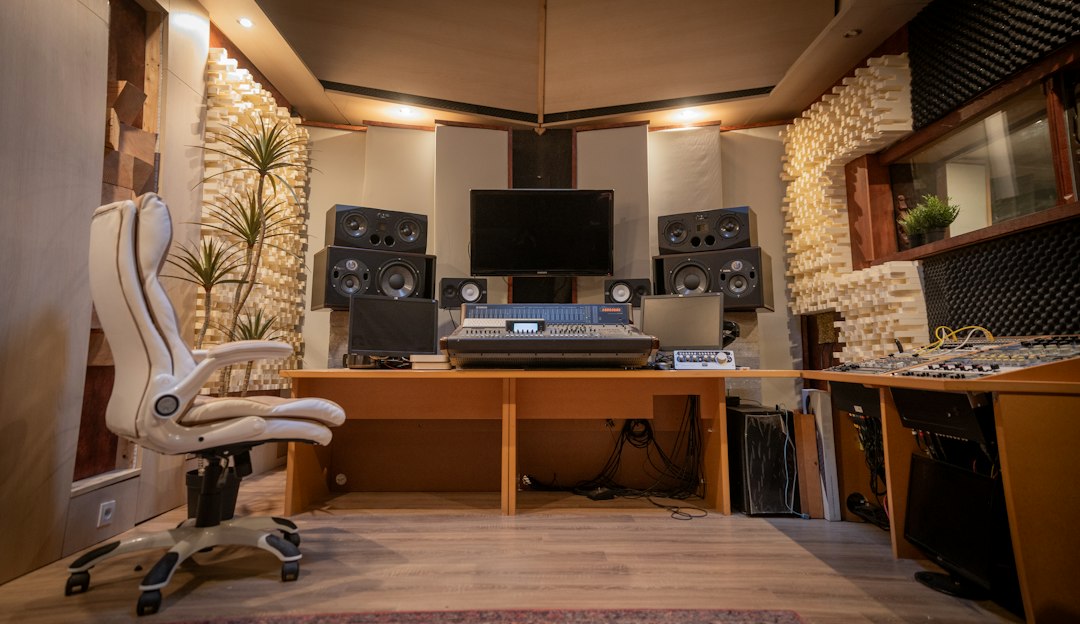
Selecting the optimal audio monitoring setup for a workstation has evolved from plugging basic analog cables into motherboard sound ports to deploying integrated digital-to-analog converters (DACs) and active digital signal processing (DSP). Finding the best computer speakers requires balancing desktop real estate, acoustic performance, and connectivity standards to elevate everyday multimedia, voice calls, and immersive gaming.
Recent shifts in computer speaker design highlight how hardware manufacturers handle the physical limitations of desktop real estate. As monitors grow wider and desks become more crowded, audio hardware must deliver clean dynamic range and rich bass response without relying on heavy external subwoofers or giant enclosures.
The Technical Shift from Analog 3.5mm to USB-C Audio
Historically, consumer PC audio relied on legacy 3.5mm auxiliary jacks connected directly to integrated motherboard sound cards. These internal audio circuits are frequently subject to electromagnetic interference (EMI) generated by nearby graphics cards, power supplies, and high-frequency system memory. The result is often an audible noise floor, manifested as persistent humming or static during low-volume playback.
Modern active desktop speakers solve this issue by incorporating built-in USB digital-to-analog converters. USB-C connections carry pure digital audio streams directly from the operating system to the speaker's internal processing hardware, bypassing noisy internal PC components entirely.
Benefits of Integrated DAC Architectures
- Reduced Noise Floor: Digital transmission prevents electrical interference from bleeding into the audio signal.
- High-Resolution Support: Integrated DACs process high-bitrate audio files natively, supporting 24-bit resolution at elevated sample rates.
- Simplified Cabling: USB-C handles both data transmission and power delivery in compact low-wattage configurations, reducing desktop cable clutter.
- Cross-Platform Consistency: Sound character remains identical whether connected to a custom Windows desktop, a macOS laptop dock, or a compact Linux workstation.
Balancing Physical Acoustics with Desktop Ergonomics
Near-field listening environments—where the listener sits within three feet of the drivers—present unique acoustic challenges. Unlike traditional room-filling home theater speakers, desktop monitors must create an accurate stereo image and soundstage at close range while operating within strict driver size constraints.
Physical cabinet volume directly dictates low-frequency performance. Smaller enclosures featuring 2.75-inch or 3-inch woofers physically cannot reproduce deep sub-bass frequencies without software intervention or dedicated subwoofers. To mitigate this, engineering teams employ passive radiators, rear-firing bass ports, and specific baffle angles.
+--------------------------------------------------------+
|                 Near-Field Listening Angle             |
|                                                        |
|         [Speaker]                       [Speaker]      |
|          / (15° Upward Tilt)             \             |
|         /                                 \            |
|        /                                   \           |
|       v                                     v          |
|   [ Ear Level ]                        [ Ear Level ]   |
|                                                        |
+--------------------------------------------------------+
Elevating and angling speakers upward by approximately 15 degrees aligns the high-frequency tweeters directly with the listener's ears. Because high-frequency sound waves are highly directional, this upward angle preserves detail, speech intelligibility, and spatial positioning in games without requiring elevated speaker stands.
The Role of Onboard DSP and Software Equalization
Digital Signal Processing (DSP) has become a primary driver of audio fidelity in compact speaker design. Hardware manufacturers use DSP to flatten frequency response curves, adjust phase alignment between tweeters and woofers, and dynamic compression to prevent driver clipping at high volume levels.
Additionally, companion software applications allow users to access parametric equalizers. This flexibility enables listeners to tailor sound profiles for specific tasks:
- Voice Conferencing: Boosting mid-range frequencies between 1 kHz and 3 kHz highlights human speech, making virtual meetings clearer.
- Competitive Gaming: Attenuating boomy bass while emphasizing high-frequency cues aids spatial awareness and pinpoints positional sound effects.
- Music Playback: Adjusting low-end curve responses helps offset physical cabinet limitations for warmer audio reproduction.
Market Tiers: Evaluating Options Across Price Profiles
The desktop speaker ecosystem spans several distinct price tiers, each offering specific compromises between driver hardware, acoustic materials, and input options.
Entry-Level Tier ($40 - $100)
Budget desktop solutions focus primarily on spatial efficiency and simple power management. These units usually rely on single full-range drivers housed in lightweight plastic cabinets. While they provide an immediate upgrade over integrated monitor speakers, low-frequency extension is minimal, and high-volume playback may introduce harmonic distortion.
Mid-Range Tier ($100 - $200)
Mid-tier active speakers introduce multi-driver architectures, separating high frequencies into dedicated silk-dome tweeters and mid-bass into composite woofers. In this category, USB-C input options, onboard DSP presets, and dedicated subwoofer output ports become standard features, allowing for future system expansion.
Premium and Studio-Oriented Tier ($200 - $350+)
At the upper end of the consumer desktop market, speakers feature bi-amplified class-D power stages, premium wood or high-density polymer enclosures, and flat, neutral frequency responses. Devices in this class cater to audiophiles, content creators, and home producers who require precise sound reproduction over artificial bass boosts.
| Feature Category | Entry-Level ($40-$100) | Mid-Range ($100-$200) | Premium ($200-$350+) |
|---|---|---|---|
| Driver Configuration | Single Full-Range | 2-Way (Tweeter + Woofer) | Bi-Amplified 2-Way |
| Audio Connection | 3.5mm Aux / USB-A Power | USB-C / Bluetooth 5.0+ / Aux | USB-C / RCA / High-Bitrate Wireless |
| Enclosure Material | Molded ABS Plastic | Density Composites / Cork | Heavy MDF / Custom Polymers |
| Equalization | Hardware Switch / None | Multi-Band App / DSP Presets | Parametric DSP / Rear Trim Controls |
Key Technical Trade-Offs for Buyers
When configuring a desktop sound system, users must balance several competing technical parameters:
- 2.0 Stereo vs. 2.1 Subwoofer Systems: A dedicated 2.1 setup delivers physical low-end rumble suitable for movies and action gaming, but subwoofers introduce floor clutter and phase cancellation risks in untreated rooms. High-quality 2.0 active monitors offer cleaner desk integration and more precise mid-range clarity.
- Physical Controls vs. Clean Aesthetic: Control positioning impacts daily usability. Front-mounted volume knobs and input selectors offer quick adjustments during calls, whereas rear-mounted dials preserve clean front baffles but impair accessibility.
- Analog Isolation vs. Digital Inputs: Systems restricted to analog 3.5mm inputs require high-quality motherboard shielding or external soundcards to prevent line hiss, whereas integrated USB DAC setups deliver clean digital paths natively.
What to Watch in Desktop Audio Innovation
Looking forward, the desktop audio segment is poised to adopt advanced wireless protocols and automated room calibration tools previously reserved for high-end home theater receivers.
- Bluetooth LE Audio and LC3 Codecs: The rollout of Bluetooth Low Energy Audio will bring lower latency wireless streaming to desktop setups, making wireless audio viable for gaming without traditional USB dongles.
- Automated Near-Field Calibration: Microphones built into desktop speakers will enable real-time acoustic adjustments, measuring desk reflection surfaces to correct frequency spikes automatically.
- USB-PD High-Wattage Architectures: As host computers support higher Power Delivery outputs over USB-C, future active speakers will draw both high-wattage power and multi-channel audio data through a single cable, eliminating external power bricks altogether.
Reporting reference: this briefing is TechWire’s independent analysis. Primary reporting was published by WIRED — read the source article.
Related analysis
x86 Processor Evolution: How Legacy Trade-Offs Won
Explore the x86 processor evolution, from 1970s hardware choices to modern computing compatibility, explaining little-endianness and register design.

NSF Leadership Nomination Collapses Amid Science Policy Crisis
Senate pushback on the NSF leadership nomination highlights growing friction over federal science funding and academic research oversight.

TRMNL Frame: Full Color ePaper Display Canvas Debuts
An analysis of TRMNL Frame, a 31.5-inch full color ePaper display using Spectra 6 tech, custom color engines, and in-house manufacturing.